20 Best Calendar Apps for iPhone w/ Videos
Your iPhone already comes with a standard calendar. But there are many third-party applications available that make tracking your tasks and events much easier. Choosing the right calendar application for your needs does take some researching as not all apps in this category offer the same features.
How to choose the right iPhone calendar app:
The App Store has many third-party clients you can take advantage of to keep yourself on schedule. Not all of them have an easy-to-use user-interface. Many of them are too complex to use and do not have the right features. Here are a few factors you may want to pay attention to when choosing your next iPhone calendar app:
- app speed and stability
- user experience and design
- customizable features and advanced options
- responsive search
- sync features (e.g. Outlook, Facebook, Cloud, …)
- support for voice-commands and natural language
- alarms & reminders
- developer track record and reputation
- geo-location & social features
- universality (iPhone, iPad, Mac, Android, and Windows 8)
- price & regular updates
Here are 20 calendar apps that stood out for us according to our tests (updated March 2013):
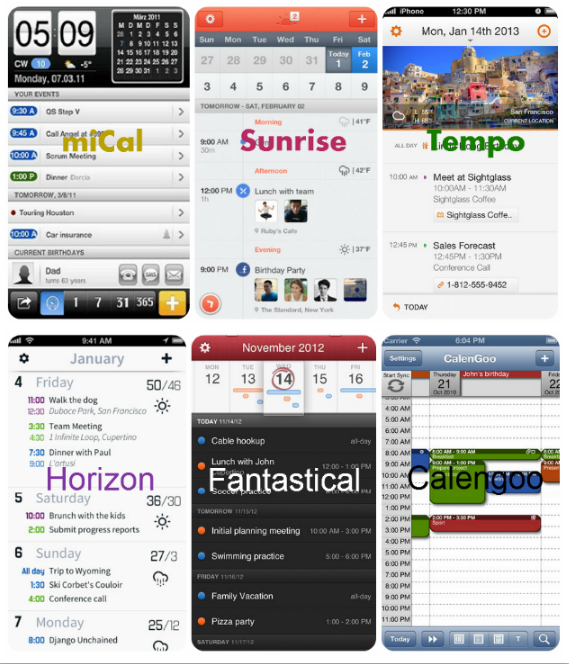
CalenGoo: comes with a killer interface and makes it easy to manage your tasks and events on Google Calendar right on your iPhone. The app is fast and reliable. Offline editing of tasks is possible too. You are going to have to get a free Google account to start using this powerful tool.
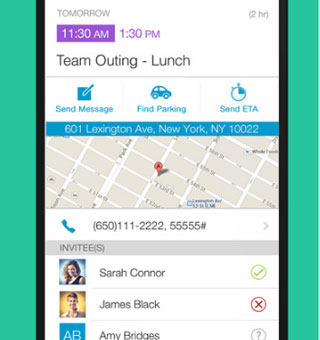
Fantastical: Fantastical for Mac is a fantastic tool to use to add and keep track of your events. The iPhone version is pretty decent too. It lets you add events to your calendar using dictation (iPhone 4S, iPhone 5). The DayTicker saves you time keeping up with your events. It works with Google Calendar, iCloud, and Exchange. Fantastical is one of the best pound-for-pound calendars for iOS.
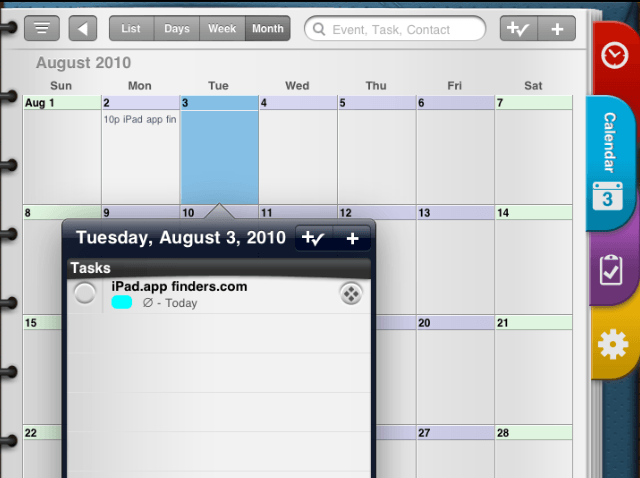
Pocket Informant: one of the most powerful task management tools on iTunes. The calendar combined with the ToDo list feature makes it easy to keep track of your daily tasks.

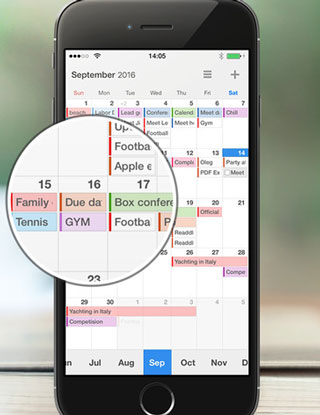
Calendars by Readdle: as the name suggests, this app is designed mainly for those of you who have come to love the calendar service by Google. Allows you to manage your calendars online and offline. Provides you with SMS reminders for events. You get multiple views and support for repeating events.

miCal – missing Calendar: this award winning calendar has an intuitive and attractive interface. Supports unlimited events and reminders. Supports Google, Facebook, and other major 3rd party calendars.
Awesome Calendar: a complete calendar solution that helps you keep track of your tasks and events on your phone conveniently. Works with all iPhone supported calendars. It can handle your to-dos and notes. It even shows you weather forecasts for your area and holidays. The app syncs with Google Task.
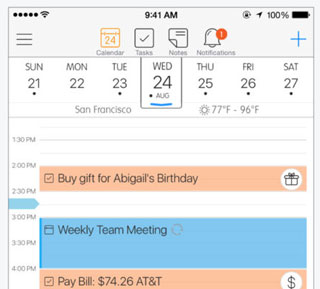
Saisuke: a very powerful app that could come in handy for project managers and business professionals. Works with Google Calendar as well.
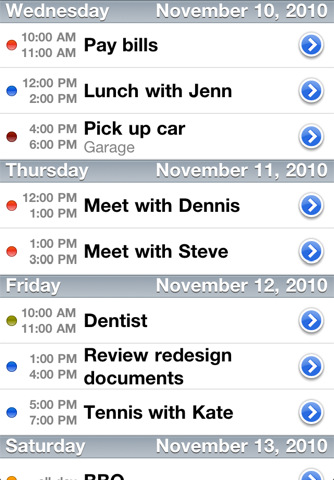
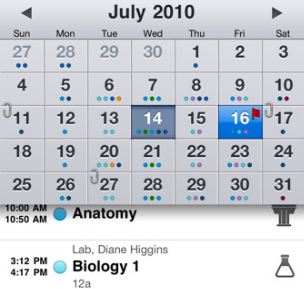
Week Calendar: addresses some of the limitations of the default iPhone calendar. It has an elegant design and offers multiple views. You can organize events using drag & drop. It provides support for custom timezone settings, templates, calendar syncing, TextExpander, and rotation.
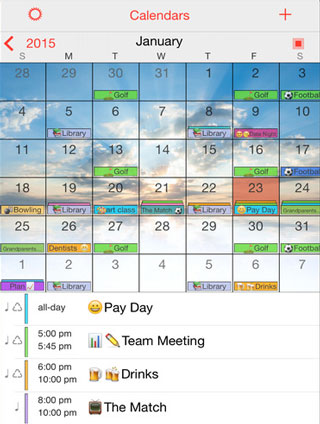
Popcal: a speedy and efficient client for iPhone. It automatically pushes and pulls your events. It is compatible with Exchange, Google, and iCloud. It has alarms and is optimized for one-handed use.

GoCal: designed specifically for those of you who are hooked on Google Calendar. It lets you plan your work, set up your events, get SMS reminders, and access your Google account information on iPhone.

Calvetica Calendar: a fast app that integrates with your native iOS calendar to help you keep up with your daily tasks and events. It works with Google calendar, Mobile Me, and Exchange. It has a very sleek interface.
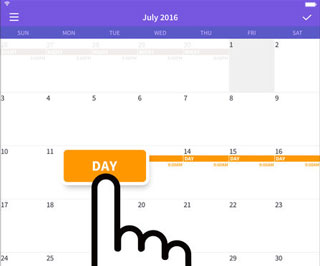
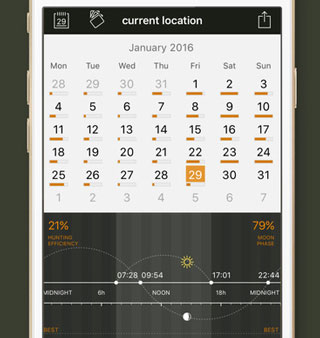
Hunting Calendar: quite a unique tool that displays best hunting times for your current location. Animal calling sounds are pretty useful too.
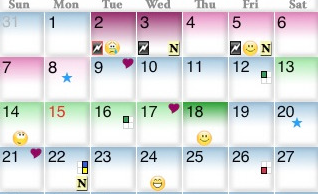
Luna: a fun little app that provides you with the lunar info and lunar charts right on your phone.

iPeriod: a great application for women. Allows them to keep track of their period cycles. It also shows you emotions per each week as well.
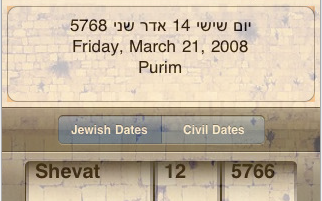
Pocket Luach: this app is designed specifically for those within the Jewish community. Converts to/from Jewish Calendar. Displays all Jewish holidays as well.
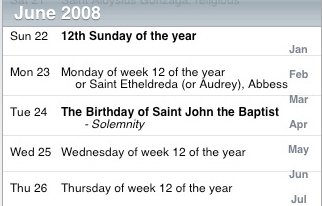
Catholic Calendar: designed for the Catholics, this tool allows you to keep track of their holidays, so you’ll never miss an important religious date again.
Vocal: you can think of this as more of an enhancement for your calendars. It lets you take voice reminders to keep up with your tasks and events.
CalAlarm: enhances your calendars with alarm capability. You won’t miss an event or task ever again when you have got this on your phone with your local alarms set up.

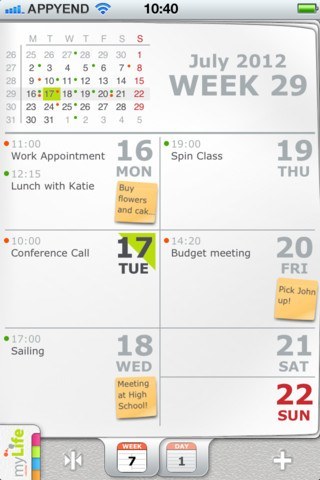
myLife Calendar: a cool looking application you can use to get your life back in order. It has multiple views for your convenience. The app supports sticky notes. You get event management and data synchronization too.
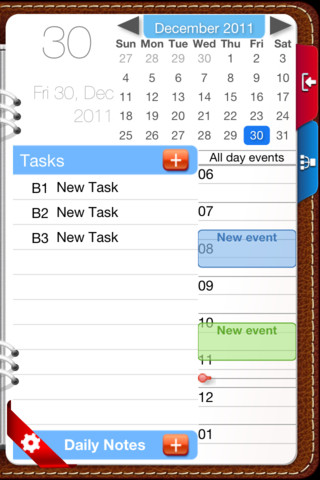
Opus Domini Mobile: this is a personal planner and daily task manager for iPhone. It supports repeating tasks too. It offers even more features on iPad.
What’s your favorite calendar app for iPhone?
[updated: March 27th, 2013]
People who visited this article also visited:
- 7 Quality Birthday Calendars for iPhone
- 5 Fresh iPhone Calendar Apps Everyone’s Talking About
- 75+ iPhone & iPad Calendar Apps for Hunting, Birthdays, and Pros
- Pocket Informant for iPad: Ultimate Task Manager
- 7 Best iPhone Planner Apps
- 20 Best Calendar Apps for iPhone w/ Videos
- 10 Best GPS Apps For iPhone (May 2013)
- 10 Best Alarm Clock Apps for iPhone
- 40 Best Augmented Reality iPhone Apps
- 15 Best Note Applications for iPhone
*aff links used in some articles to fund our operations (disclosure page).
-
Thank you for mentioning taghvim, although it’s taghvim, not taqvim
December 17th, 2009 at 5:19 am -
Fixed
December 17th, 2009 at 8:02 am -
Pocket Informant on iPhone: you will need a techie to get it to sync with an existing Outlook calendar. As I do not have one, it was a waste of money.
April 3rd, 2010 at 10:37 pm -
Need a calendar that does recurring DAYS not just DATES. Help!
May 23rd, 2010 at 1:12 am -
I've actually just gotten one on the app store, Round The Clock.
Great repeats (every other week/wed/thur/fri, last friday in month) and a week view
June 16th, 2010 at 2:49 pm -
Is this the 10 best calendar aps?
I thought we talk normal calendar aps, not weird calendars!
June 22nd, 2010 at 8:00 am -
@Kevin. You are right
However, this is more of best calendars for things people want to do rather than best calendars that do pretty much the same things. What do you suggest the title should be? We have a bunch of other lists on task managers, to do lists, and so on. Pocket Informant is a pretty decent one I use. June 22nd, 2010 at 4:47 pm -
Which calendar apps that my wife and I can share and view the same calendar on our iphone?
June 29th, 2010 at 1:40 am -
I like the Pocket Informant, but I can't seem to get Alarms to work. It seems like it's a pretty frequently encountered glitch. I'm a bit unimpressed with the calendar that comes with iPhone because you can't have it automatically set an alerm. I always want an alarm to function, so want to be able to set it as an 'automatic function' that I can turn off in those infrequent occassions I DON'T want an alarm. I keep forgetting to 'set the alarm' and miss calendar items
July 3rd, 2010 at 8:11 pm -
Has anyone had success syncing Pocket Informant on IPhone with MSOutlook? I want to continue using MSOutlook. So far, it looks grim, so I welcome anyone with a success story…and better yet, "how to" sync.
July 22nd, 2010 at 12:34 am -
Thanks. I'll consider that. I'm actually hesitating to get an iPhone before I am certain the PIM / MSOutlook will work. I appreciate your suggestion!
July 23rd, 2010 at 2:01 am -
My husband currently used blackberry bold and i have iphone. I want him to get iphone but he need to be able to get appointsments that I email him. Right now I email him an appointment and it goes to his calendar on the blackberry, address, ph one numbers everything he needs. Any suggestions?????
July 23rd, 2010 at 10:04 am -
You should look at the app AnyDay, a perpetual calendar with loads of features and holidays!
August 3rd, 2010 at 3:00 am -
Any suggestions of a calendar with good reminder features. The iCal does not offer a snooze to the reminder. My daughter had a Blackberry and it had snooze feature on calendar reminder…is there a calendar app for iphone that has a reminder with snooze feature? I know iCal has 2 reminders but sometimes my daughter needs an additional reminder or two.
August 4th, 2010 at 8:43 pm -
I just need a calendar app that I can put down appointments and the days that I substitute teach on and that is very simple to use. Do you know of one like that?
August 9th, 2010 at 11:05 pm -
Shoppergirl, the "2Do" app has a snooze feature on its reminders. It isn't technically a calendar app, but it does let you schedule events and snooze reminders. I know what you mean regarding your daughter's phone. I had a Treo previously and really enjoyed its calendar that was easy to sync with Outlook and set its reminders to snooze. 2Do has a lot of features and syncs with Outlook.
August 9th, 2010 at 11:15 pm -
I would choose one that syncs with google and then you could just have both your phones sync to the same google calender. Thats the best option i can think of, but i don't know very much about these apps so there may be an option which fits your needs far better than my suggestion.
August 9th, 2010 at 11:54 pm -
Something like Attendance? http://itunes.apple.com/us/app/attendance/id30175…
August 10th, 2010 at 8:39 am -
No just a plain calendar that I can type in on the dates that I need to sub and appts. for my kids and will be able to look at the day and week to see what I am doing.
August 10th, 2010 at 12:20 pm -
Calengoo is the best! I have outlook at work set up to sync to google calendar. Then google calendar also syncs to Calengoo. I only type everything in ONCE. Great reminders too. Love it love it
August 12th, 2010 at 6:57 pm -
It is definitely a very good one
August 13th, 2010 at 2:34 pm -
I'm looking for a calendar app that allows me to have recurring events every four weeks. None that I've looked at seem to have that function, only every week or every month. Has anyone seen one that allows every four weeks? Thanks.
August 17th, 2010 at 8:31 am -
how about smarttime or the built in calendar
August 19th, 2010 at 11:13 am -
I currently have a blackberry and am lookin into purchasing an iphone. My blackberry has a calendar on the screen of my blackberry that i can see my appt's for the day every time I look at the phone w/out havin to open the calendar. do u know of an application for the iphone that i can do that with
August 21st, 2010 at 1:45 pm -
Nice List!
Want have a look to my App?
AroundCal – from Event to Task
August 27th, 2010 at 11:14 am -
Theres a new calendar on the market – cal-n-icon. Its got great GUI and extremely useful for Business professionals. The icons are colorful and user-friendly – a complete pleasure using the app. A great organizer that covers both meeting requests and tasks.
August 31st, 2010 at 3:03 pm -
The lack of good reminders (like the Blackberry has) makes the iPhone Calendar look like a toy app. e.g., I get a reminder on my phone…I slide the "unlock" button to the right, key in the passcode lock and up comes whatever app you were using the last time…however, I have no idea what the reminder or reminders that appeared on the screen. All of this is annoying, if you ask me. Please tell me there is another app that behaves like a Calendar app should. I would not mind paying for it.
September 8th, 2010 at 12:32 pm -
Great – thanks! Do you need MobileMe to sunc, or does it automatically check for latest appointments with Google whenever it is connected? Thanks.
September 12th, 2010 at 2:28 pm -
I had a Blackberry Curve and the calendar was great with setting the alerts. I now have the iphone 4 and can't seem to set a reminder more than 2 days before the event. Is there an calenda app out there similar to the blackberry that you can set reminders to the event well before the event occurs?
September 13th, 2010 at 1:24 pm -
can anyone tell me if and how to sync my i phone callander with my windows live callander ? thanks
September 15th, 2010 at 3:12 am -
If you use google calendar you can have this feature. You can get different apps for your phone that sync with google calendar. I downloaded ccal last night and it looks great but for some reason it is only coming up with recurring events that I have entered from Nov on and not individual things entered. Sept and Oct look great though, I am still trying to work out what the issue is.
September 15th, 2010 at 6:22 am -
Apple has lots of cool colors and crayon applications and interfaces, but they really SCREWED UP on the primary and simple function of a CALENDAR. How absolutely worthless is the iPhone calendar: it arbitrarily dismisses alarms without user input (biggest complaint), and doesn't allow custom alarm settings other than THEIR list of hours and days, etc; and they don't have a feature for setting custom repeats, such as last week of month vs. the fourth of month (on some months this occurs). Congratulations Apple for building a brilliant skyscraper on a sandbar. I'll take my reliable Treo or Samsung any day of the week… alas the contractual handcuffs to iPhone and AT&T.
September 20th, 2010 at 11:21 am -
I can almost accept that apple has screwed up royally on the calendar app, no relative date scheduling such as last wednesday of the month etc., what really surprises me though is that there is no aftermarket app that has filled the gap.
October 2nd, 2010 at 9:18 pm -
well, I just looked at pocket informant and it does all the custom reminders for calendar, it actually looks pretty good.
October 2nd, 2010 at 10:14 pm -
@scott. Yes. If you think Pocket Informant for iPhone is OK, wait till you use the iPad version. It's a beautiful thing.
We use it throughout our company with Outlook sync and everything October 3rd, 2010 at 12:06 am -
Need calendar with possibility to sey my own sound and sync with outlook ! Is it the year 2010 or is it an apple? Soo dissapointed at my iphone 4 now. (my first iphone, maybee the last now)
October 4th, 2010 at 3:07 pm -
Is there anything out there as simple as a monthly view that I just just marks off days? I’m trying to track 3 different reoccurring type events. One per day. And can’t seem to find anything simple. Would be ideal if I could just tap on a day choose a color and then be able to make a chart or graph comparing all three over the year.
October 6th, 2010 at 10:31 am -
is there any calendar app that synchs with or – dare I say it – improves on Mobile me? I like the auto synching of mobile me, but it has even fewer options than the calendar on the iphone!! I'm starting to miss my Palm!!!
October 6th, 2010 at 8:36 pm -
Is there a calendar app that stores past entries? I’d like to be able to pull up past appointments for reference. It was frustrating to find out that once the month had passed all entries were dropped. I thought I was using the iPhone calendar ad a sort of an abbreviated journal.
October 8th, 2010 at 10:41 pm -
I want the basic functionality of being able to invite my spouse so both our calendars get updated. Wecal is an app with that ability but looks like it requires a subscription to do invites and other features. Still searching… – John
October 9th, 2010 at 11:05 pm -
Maybe check out the app "shift worker" for rosters and work schedules. This is a blatant self-advertisement but it would suit the need of a few commenters in this thread.
Http://shiftworkerapp.comOctober 14th, 2010 at 11:17 pm -
Saisuke. Works pretty good. Slightly better than my old Blackberry calendar.
October 20th, 2010 at 12:18 pm -
Is it me or does the iPhone calender bite? Really Job's i can't, see you running your life with a iPhone calender.
October 20th, 2010 at 2:36 pm -
You can add the US Holidays for 2010-2012 to your iPhone calendar with one tap . The holidays will be added as all-day events in the calendar of your choice. No need for subscriptions or internet, because the holidays are added to the calendar database.
Once added all holidays can be fully edited or deleted. And synced with Google Calendar, Outlook, etc.The apps also contains calendars of:
- Christian, Hindu, Islamic and Jewish festivals.
- Holidays and festivals of Australia, Canada, France, Germany, India, Italy, Korea, Japan, Netherlands, Singapore, Spain, Switzerland, United Kingdom and the United States.
http://itunes.apple.com/app/us-holidays-2010-2012…October 21st, 2010 at 12:18 pm -
no. It is not just you
October 21st, 2010 at 2:12 pm -
Just coming to the end of my first year with an iPhone having been a previous Windows Mobile, Palm then Blackberry user. Guess what – I will be going back to Blackberry as soon as contract finishes primarily because of the appalling business apps e.g. calendar that come on the iPhone. Anyway, no more moaning, here's how I've managed recently. Having used Pocket Informant before on Windows Mobile this was the obvious choice and I haven't been dissapointed. About the only thing lacking for me is the ability to snooze reminders. I run MS Outlook on a laptop and a desktop and I use Google Calendar Sync to keep it all together. Tried MobileMe – complete disaster. Eventually got them to refund my full subscription!! I treat the desktop as the master of the two Outlook machines and do a 2 way sync between desktop and Google and just a one way sync FROM Google to laptop. No real reason why this couldn't be two way as well but after disaster with MobileMe I got everything working in this way and stuck with it. So I can create on either iPhone or Desktop and all 3 keep in sync. For tasks I use ToodleDo. Seems to work just great.
All I would need to make this all perfect for me is snoozing of reminders, some way of keeping reminder on screen after it's activated and the iPhone screen is locked. And for Google Cal to understand and store Outlook categories.
Hope this helps some folks.
Cheers
DavidOctober 22nd, 2010 at 2:03 am -
set up a google calendar (keinrichcalendar@gmail.com or something) and set up that email address on both iphones. set up in gmail and iphone to sync the calendars. jobs a good'un.
November 5th, 2010 at 6:34 am -
Are there any feedbacks for Calendars application (by Readdle)? The new version supports Google Tasks, still would like to get more comments before purchasing it.
This one Calendars app: http://itunes.apple.com/us/app/calendars-google-c…
November 10th, 2010 at 5:57 am -
Please check out the new Extreme Agenda on iPhone 4. Calendar and Tasks with 4 powerful view, category filtering, expanded recurring events, professional icons and more…
November 11th, 2010 at 7:52 am -
How about a Calendar app that lets you set reminders with your voice? VoCal – The Voice Calendar App for the iPhone lets you do just that. http://bit.ly/dmsOgd
See it in action: [youtube HPmuQczkVpA&feature=player_embedded http://www.youtube.com/watch?v=HPmuQczkVpA&feature=player_embedded youtube]November 11th, 2010 at 11:46 am -
I think Cozi Family Calendar is a fantastic and very attractive app.
November 18th, 2010 at 9:24 am -
For those of you looking for a faster calendar that shares categories, check out Qwixt Calendar. You can tap and drag to set the times for a new event, and categories you share will be automatically updated.
November 20th, 2010 at 9:13 am -
I recently purchased Calendar At-A-Glance. It works with the existing Calendar database and as opposed to other, overcomplicated apps i really easy to use. The clock-like interface is a cool idea too. Check it out: http://itunes.com/apps/calendarataglance
November 21st, 2010 at 5:32 pm -
Anyone synched Calvetica Calendar, CalenGoo, or Qwixt Calendar with Microsoft Exchange (our company exchange server runs on this to our Kerio server)? Any good?!!!
Cheers
Duncan
November 28th, 2010 at 2:48 pm -
I just recently got an iphone and was diligently using their calendar to remind me of my kids' illnesses…couging, fevers, vomiting, etc when I decided to look back and see when the last time one of them was sick and….nothing! The calendar app deleted all those long months of logging them in.
Is there a calendar app that won't delete ANYTHING that I input? I don't care about any other perks or quirks, I just want to be able to go back and see the data I input in previous months.
November 30th, 2010 at 7:28 am -
Check out Calendar Alarm in the App Store, it adds reminder with snooze feature to existing iCal. Huge improvement, well worth the 99 cents!
December 1st, 2010 at 5:21 pm -
I began using this one: http://bit.ly/cJq4Bh
It's called Calendar At-A-Glance. My daughter loves the drawings there
No week view there, but the month view covers pretty much everything you wanna see: number of events on some date, the time they take, etc.
HTH,
Mark.December 3rd, 2010 at 9:26 am -
Hi – did you get a sloution on this – i want my old blackberry back as the reminders on the front screen were very useful – if you found a way round this can u email me on andyison@hotmail.com
thanks
December 7th, 2010 at 2:59 pm -
When you enter an event can you set an alert longer than 2 days prior to the event?
December 8th, 2010 at 6:57 pm -
Am I missing something. I'm using a Palm Centro. Old technology. The calender syncs perfectly with MS Outlook. I need color categoriezed entries. If I have an event that lasts more than one day, I need it to show up as a colored bar accross the calender days as it does in MS Outlook. Is there no ______ calender that will sync with MS Outlook and display it as well as my crappy old Palm Centro? I know I can sync to Google calender, then to a 3rd party Iphone app, but as far as I can see, Google calender stinks as well. It has no color coded categories, you have few preferences that you can control. Has anyone figured this out?
December 13th, 2010 at 10:04 am -
I'm still using a Palm and so far I think i'm right. Can't find any apps worth swapping for. They are much better apps on the Palm OS. I'm sticking with it.
December 15th, 2010 at 8:02 pm -
I'm sticking with my Palm. OK so the resolution is not so good but nothing I've read in the last 8 hours compares to Datebk.
December 15th, 2010 at 10:19 pm -
I am still using Palm because of the Calendar. I love my Datebook 5 calendar & refuse to give it up! I love being able to make my own icons!
December 18th, 2010 at 11:53 am -
I have the Palm Pre Plus. The resolution is awesome. If you buy a program called "Classic" you can run most of your old PalmOS programs on that. I still use my Datebk 5 & have never found anything that compares!
December 18th, 2010 at 2:17 pm -
hello there have you had any news on this as i am looking at getting the iphone4 but would need the sam as yous husband with the email appointments
December 18th, 2010 at 4:15 pm -
so you need to transfer your information from Blackberry to iPhone? Is that what you are asking?
December 19th, 2010 at 3:16 pm -
Bill Reminder
Bill Reminder for iPad: An easy-to-use, full featured bill reminder to help you pay bill in time and stay productive. Get instant alerts on your iPad, iPhone or iPod-Touch as a reminder when your bill is due.
Download from iTunes :
http://itunes.apple.com/us/app/bill-reminder/id34…December 22nd, 2010 at 8:39 am -
I think the HTC on windows is better. Even my ancient O2 HAVE better calender features. Apple makes stuff for simple minded people who have little knowledge of IT.
December 27th, 2010 at 9:37 am -
WeCal is pretty good…..but think it could be better
December 29th, 2010 at 3:42 pm -
I need to sync my yahoo calendar (all layers) with my iphone3g. Why can't I get a layered calendar? Any ideas?
January 3rd, 2011 at 9:34 am -
I got an app on my iphone called week cal, & it has the ability to set rcurring event daily, weekly, or monthly. Good luck. Now I just have to find an app for my Laptop that will sync with that calendar.
January 8th, 2011 at 12:29 pm -
Check out SwiftNote, I liked it more than pocket informant.
January 15th, 2011 at 9:44 pm -
I'm currently looking for less detail calendar apps. I dont want to hit on a day and see the time limit from 7am to 7pm which is not needed. An ideal calendar i look for should be able to show all day in page so you'll be able to plan which weeks i will be going for vacation, holidays etc. Any suggestion or it's too weird… If there's no apps like that i'll desperately use the current embedded calendar in iphone =(
January 18th, 2011 at 5:57 am -
Hi,
I suggest you have a look at our Month Calendar: http://itunes.apple.com/app/id389957954
It supplies an excellent overview.
Have a look it is free for now, but hurry
January 19th, 2011 at 4:22 pm -
Why not try this app called iconApps (http://intuitionapp.com)? It is free and you don't have to be techie to be able to maximize its use. It's not only a simple calendar app, but more of a secretary — helps me keep track of my tasks and deadlines, and of course reminds me about my rendevous with friends. There's no reason to forget anything.
February 1st, 2011 at 12:00 pm -
Calvetica has to be the best one on the list.
Considering its integration, price and functions – easy winner
February 3rd, 2011 at 4:53 am -
I jailbroke my phone (you can look anywhere online to see how to do this, and it is completely legal) and there is a package you can download called "Lock Calendar" that displays all of your calendar events on the lock screen when you first turn your phone on, before you swipe to unlock it. It works really well!
February 12th, 2011 at 1:34 pm -
Does anyone need a multifunctional calendar with actions, (shopping) lists, tags, photo, projects, priority, progress status and more?
February 14th, 2011 at 4:34 am -
I need a calendar that will allow me to simply copy and paste an appointment from one date and time to another. My old palm does it easily. The iphone requires about 20 different strokes and moves to do a simple task. Anyone know which calendar apps might do this?
February 14th, 2011 at 9:56 am -
Why can’t they make a calendar app like “groceryIQ” that instantly adds appointments I make to my wife’s calendar and vice/versa? It could even have those cool little numbers on the app icon to show how many appointments we each have that day or week. Is there anything out there like that?
February 14th, 2011 at 10:16 am -
February 14th, 2011 at 4:16 pm
-
I’m currently using a very archaic version of Palm Desktop by Access which no longer even synchs to my even older Palm Pilot. I like the interface and the fact that it’s not web-based but it keeps randomly deleting all or some of my 10 years worth of calendar history and I have to keep resorting to backups. So I’m ready to make a switch. 2 questions… 1) is there a way to import this data to another calendar program? and 2) is there another desktop based calendar program out there that I can then sync to an iPhone app (other than exchange). So far all I’ve seen is Google etc. which need connectivity.
February 16th, 2011 at 1:57 pm -
can you sink this with exchange?
February 16th, 2011 at 2:46 pm -
Thank you for sharing the GoCal. I've been looking for a Google calendar app that will send SMS reminders. Downloading now…
February 17th, 2011 at 6:32 pm -
Try Calvetica, which allows you minimal key strokes to move events.
February 23rd, 2011 at 12:13 am -
I’m looking for a calendar like the one I had on the droid that showed up on my front screen with appointments listed daily. I’m brand new to the iPhone so I’m wondering if that’s even an option.
February 26th, 2011 at 10:06 am -
I use CodeTwo Exchange Sync to sync my iPhone with Outlook installed on Exchange Server. The way it works is illustrated on their website http://www.codetwo.com/exchange-folder-sync/synch…
There is one more tool I think would be good, but can't remember its name now.. – need to talk to my friend, who showed me it and I'll make another post later.February 28th, 2011 at 4:21 am -
For great overview have a look at Month Calendar: http://itunes.apple.com/app/month-calendar/id3899…
February 28th, 2011 at 10:06 am -
Would you suggest Calengoo or Pocketinformant? $6 difference – which is better? I recently switched to the iphone and I miss my blackberry calendar – I need help deciding which to get…please let me know what you think!!
March 5th, 2011 at 9:14 am -
I personally use Pocket Informant. It was one of the first one that offer decent Outlook sync. The ipad version is a killer too.
March 5th, 2011 at 11:49 am -
Just bought an iphone3. Had a 7 year old nokia…… The nokia calendar allowed me to set alarms, repeat, copy, make several notes on the same day (nothing fancy). What I REALLY would like is the ability to vocally speak my calendar memo and have it land on my calendar/planner. And have the ability the Bokia had, as well.
Any ideas? I've been researching for several hours. ToDo Pro is supposed to do this – but i can't make the recorder appear, except haphazardly.And VoCal is for Iphone4
Thanks in advance.March 10th, 2011 at 5:50 pm -
Recently, SmartCalendar(Eng) released. It is also best, too. It's UI is good.
March 10th, 2011 at 10:05 pm -
Have a look at Easy Calendar. Especially if you want a plain and simple week view.
As an example: add an appointment with just 3 taps. In all top-5 iPhone calendars you need to go through multiple screens with at least 6 taps. See the video(s).
[youtube BmnxqWfkyc8 http://www.youtube.com/watch?v=BmnxqWfkyc8 youtube]
March 11th, 2011 at 9:25 am -
Does anyone know of a calendar app that will let me not incite, but actually email the whole month to someone?
March 14th, 2011 at 6:35 pm -
This was soooo easy! It even offered to make an "app" on my home page! Didn't see anything where I needed to set up a sync. It just worked
March 17th, 2011 at 11:27 am -
Hi…did you find one? I loved how the Droid had the agenda on the home screen and I could just see it.
March 17th, 2011 at 2:24 pm -
[youtube 3NhIPLElDMA http://www.youtube.com/watch?v=3NhIPLElDMA youtube]
The 2.0 version of Extreme Agenda adds features that moves it into the elite calendars on the iPhone. Month View, Year View, Week View, Agenda List View. It actually goes beyond just calendaring to be a full Organizer with Contact Views, a Task View, and a Quick List View.
And its still half as cheap as anything that comes close.
Get Organized. Go Extreme.
March 17th, 2011 at 2:45 pm -
I think this post have to be updated.
Recently many better calendar apps released.
WeekCalendar, MiCal, SmartCalendar(Eng)…March 17th, 2011 at 6:12 pm -
Try something simple that give you a good overview. The Month – Fast Calendar (http://itunes.apple.com/app/month-fast-calendar-that-sync/id415608532?mt=8) is both powerful and easy to use. Not a lot of graphics, just like notes in a monthly wall calendar. Yet, you can search for everything and use different views.
March 18th, 2011 at 4:52 am -
we are working on it
March 18th, 2011 at 4:56 am -
something like this? http://itunes.apple.com/us/app/vocal-voice-remind…
March 18th, 2011 at 8:50 am -
Try calendars, my favourite
March 19th, 2011 at 4:12 pm -
I have tried multiple calendars, and finally settled on Calvetica. The speed cant' be beat! I was so tired of launching previous calendar apps and waiting for them to sync (ugh). This one is super fast and has a nice, simple interface–this makes it easy to navigate and find appointments.
March 20th, 2011 at 7:57 pm -
Hi:
I currently use a Palm OS calendar on a Treo. What I really like is the ability to search previous days, weeks and months for meetings and deadlines.
Is there an ap for the iphone that does this?
March 23rd, 2011 at 2:33 pm -
google calendar also syncs to Calengoo. I only type everything in ONCE. Great reminders too.
March 25th, 2011 at 3:30 am -
Lots of great reviews, thank you for this article! I did not however find if anyone has found that Calendar app that has the ability to instantly add appointments I make to my husband's calendar and vice/versa? Or invites can be sent, and accepted or anything along those lines. We rely heavily on our phone calendars for “outside of work” appointment and this would be ideal. Reminders up to a week out are important to us too. Any recommendations would be appreciated. The setting up a shared Gmail account with calendar is not something we are interested in doing.. Thanks in advance!
April 5th, 2011 at 9:24 am -
I need to find an app to make employee work schedules with and be able to send it to them weekly.
April 7th, 2011 at 12:57 pm -
I'd need this solution: I wish to sync my Outlook 2003 calendar to iPhone, with colors of the individual calendar entries preserved. Does anyone know if it can be done, in any way? As a possibility, I'm thinking can Outlook calendar be synced to some cloud service, which supports iPhone's colored calendar entries, so that the cloud service would do the "color conversion"? Thanks a lot, if there's someone who knows how to do this.
April 13th, 2011 at 3:15 am -
@Janne. I personally use WebIS kit by Pocket Informant. I am not sure it is exactly what you want but it syncs my Outlook to my iPhone calendar to Google Calendar.
April 14th, 2011 at 3:40 am -
I use yahoo calender but I’d really like to use something similar with SaiSuke calendar. Any one knows which calendar app I can use?
I don’t like the iPhone default calendar, so difficult to see all the event.
April 20th, 2011 at 9:06 am -
I am searching for the same, between IPhone + Blackberry, did you find an App for this??
April 21st, 2011 at 1:28 pm -
Extreme Calendar is now out and is Extreme Agenda's little brother with almost all of the powerful calendar features of the full Organizer, at a lower price. And then you can upgrade at any time…
It contains a new timeline day view which allows quickly editing events inline and moving/copying events and pasting them in the calendar or on time slots in the day.
Definitely worthy of Top 20….
April 29th, 2011 at 8:12 pm -
Very cool. Thanks for the tip
April 30th, 2011 at 9:19 am -
Hi, im looking for a calendar with mobileme sync, fullscreen month view with the names of events (not just dots) and support of groups (work, home,.. etc) and of course a reliable one. Anyone knows? Till now it seems all developers focus on google and weekview:(
May 5th, 2011 at 7:15 am -
Try FlexScheduler, it works for me.
cdhog
May 5th, 2011 at 1:53 pm -
ondrej, you came to a right place
I'm using Plan app,this is exactly what you need. time management and calendar in one,brilliant! All events are in one view, move events drag&drop and fast navigate. Check this:
http://itunes.apple.com/us/app/plan/id428005487?m…May 5th, 2011 at 11:22 pm -
Is there a calendar app that would let me attach webpages and that I can open straight from my browser – sounds like Gocal or calenGoo might? Thanks
May 30th, 2011 at 4:14 am -
Great list! Thanks! I use miCal, the best App
May 30th, 2011 at 5:34 am -
I would like a calendar app that works like Kayak or TripIt. I would forward emails to my calendar and it would automatically create the events. Is there an app that can do this?
June 5th, 2011 at 11:23 am -
If you don't want to have a separate calendar. Use Calendar Event Pro. It adds the advanced functionality to the native Calendar app.
June 18th, 2011 at 7:39 pm -
Hi I like "Plan" App, here is how it works http://www.youtube.com/watch?v=uRwjp7_KVl8, Simple
June 23rd, 2011 at 9:30 am -
I have a I phone and a windows comp. How can I type my calendar on the computer and send it to my I phone? Will Google do this?
June 28th, 2011 at 11:10 am -
I am looking for a calender ap that will retain calender entries indefinitely. I would like to be able to go back and see who I called last January, etc. My default calender dumps past entries after 30 days. Any suggestions?
June 28th, 2011 at 2:27 pm -
Create a google account and google calendar. Download a free app Google sync, install on the PC. This will sync your PC cal to Google calendar. Now you need to set up cal on iphone. If it's iphone 4, it should be easy. Go to settings>mail, calendars. Add a new calendar>select google, enter your login info for google account. Now you will be able to sync your outlook calendar to iphone. Hope this helps. Good Luck!!
June 28th, 2011 at 8:04 pm -
For those looking for a beautiful yet simple iPhone calendar, I suggest you check out Agenda for iPhone – http://getappsavvy.com/agenda/ . It was recently released by Savvy Apps. The reviews on this application seem very strong as well.
July 9th, 2011 at 2:44 pm -
@Tony. Will check it out. Thanks Tony
July 9th, 2011 at 3:08 pm -
I work a week on week off roster rotating from days to nights and I’m after a calendar that will allow me to have a highlighted colour for my week of day shift and a different colour for my night shift. I want to be able to see at a quick glance what the months coming have with out having to count the weeks to know if it is days or nights. Does any one know what I could use? Thanks
July 15th, 2011 at 10:08 pm -
Something like Free time? http://itunes.apple.com/us/app/free-time/id429232…
July 16th, 2011 at 8:20 am -
palm calender is awesome.. any similar calender in iphone4
regretting change to iphone cos of the lousy calender appJuly 24th, 2011 at 9:39 pm -
Is there a calander that you can set a reminder to do something and let you chose like done or something and it wont bug you again until the next programmed date. Example i want to put a reminder to put my request off at work and remind me up until a date but if completed early i can say done and it wont bug me until the next week.
July 27th, 2011 at 10:54 pm -
All the comments say the same thing…. I want a BlackBerry calendar app on my iPhone. The fact is BB have nailed it and apple missed it (by a lot). I love my iPhone but I really really miss the BB calendar
August 9th, 2011 at 4:55 am -
Sync Outlook to Google Calendar (using Google Calendar sync) and configure PI to use the Google Calendar. Works great and you can create mutiple Google calenders to share with various groups (and view all concurrently, or filter at will, in PI). I've configure my work, home, family and Cub Scout calendars all in PI. No other calendar app comes close to PI's power and flexibility.
August 10th, 2011 at 11:33 am -
Did you find a similar calendar for iPhone?
August 13th, 2011 at 8:34 am -
I need help, I've been searching for this for a long time. IS there a calendar for those who use it often? that is fast using? like the palm did, I mean when you want to enter a data you don't have to touch the screen that many time? Thanks!
August 19th, 2011 at 7:19 am -
Right now, via email, I can add a calendar appointment to iPhone calendar app via email invite (from Outlook on a remote server). However, updates tova previous event does not update on IPhone
Any other calendar that does this?August 24th, 2011 at 7:15 pm -
I use pocket informant and have a calendar called Work-Day that is yellow then one called Work-Nights that is dark blue. Then I schedule seven all-day appointments on each calendar that are repeated every four weeks.
August 25th, 2011 at 8:45 pm -
Why is this hunting calendar crap in this 20 best? Such awful products should be banned, together with the people who use it.
September 2nd, 2011 at 1:25 pm -
Fair enough. We added it because it was requested. Can you tell me exactly why you hate it? I am interested to know what is wrong with the product.
September 2nd, 2011 at 1:55 pm -
I am not sure what you mean. You need to be a bit more specific
There are a bunch of apps that are like that like a few on this list already September 2nd, 2011 at 1:55 pm -
Mee too! I had that with my palm phone. Loved it. Has anyone found an app like that?
September 3rd, 2011 at 4:45 am -
Five months late. I've just gotten an iPhone and I like it, but the feature I miss from my old BlackBerry was how tightly integrated the apps were: when you entered a contact in the Contacts database, the phone number was available for phone, the address was available to maps, and so on. I'm test-driving Intuition right now, and entering location data there *and* in the Contacts database (so I can phone them or set up tasks) is a bear.
Of course, the functionality might be there and I just haven't figured out how.
My teenage daughter has a BlackBerry but my wife and I have iPhones–we'll try using a Google calendar to integrate them. I believe the BB calendar will also sync with a Google calendar.
John
September 6th, 2011 at 6:48 pm -
How do you set 2012 dates in VoCal?
September 10th, 2011 at 8:19 am -
Did you find anything? I have the same need and just can’t find an app, we can’t be the only ones!
September 10th, 2011 at 5:53 pm -
I’m looking for exactly the same as zo6…. All the info is great but has anyone found one that meets these needs.
September 16th, 2011 at 11:52 am -
I’m looking for q calendar that will be able to check the 1st and 3rd weekend a d not simPly every 2. Can anyone help me?
September 19th, 2011 at 9:38 pm -
you should check out Scheduary for the iphone, it's simple to use but with a bit of set-up you can take down work schedules and appointments faster than other ones i've used. If anyone is interested here is the link. http://itunes.apple.com/us/app/scheduary/id423549…
September 20th, 2011 at 5:52 pm -
I need a app that is compatible with my iPhone and iPad that I can book a appt with my iPhone and it will pull that info from the cloud and will also be stored in my iPad under the same app; and vice versa . I'm a independent hairstylist … I have found a lot of apps that have this capability but they require a monthly fee with online booking available for the clients . But I prefer my personal control with my scheduling so I don't need all that fancy pants stuff … Just more of a calander geared towards hairstylist bookings ,storing formulas , also to keep a daily track of the money made and spent each day!…. Does anyone know of something I'm describing ? Please help.
October 15th, 2011 at 8:14 pm -
as for me the Pocket Calendar is the best
November 6th, 2011 at 8:42 am -
I'm having the same problem changing from BB to iPhone. With BB, the alerts could be scheduled at least a week in advance. Also, with the BB you could turn your phone off and the alerts would pop up when the phoen was turned back on. With the iPhone, you can only do alerts for 2 days in advance and if the phone is off you will miss the alerts.
November 8th, 2011 at 9:19 am -
Very disappointed I can't invite appointments with bb users and get an indicator they accepted or acknowledged that it's ok on my 4s. They see the invite but I get no indicator in my iPhone 4s from them. Then if I want to delete something they invited ME to I have to go to iCal in apple.com to delete it, I can't delete iron my phone (or iPad). Seems it should be an easy thing for Apple to fix???
November 12th, 2011 at 9:35 am -
I’m looking for the same app! I missed a meeting last week because I wasn’t constantly opening my calendar! Someone create an app that will allow us to see our agenda at the top of our home screen!
November 24th, 2011 at 8:16 pm -
Week Cal by UtiliTap is the best full featured iPhone/iPad calendar app with ability to
Copy, Duplicate and share events.December 6th, 2011 at 5:36 am -
I bought Calendar Alarm for the same reason – I miss the snooze that my blackberry had. However, Calendar Alarm still doesn't compare. The reminder still goes away when you slide the screen open, unless you slide the actual reminder, which is fine unless when you happen to look at the phone there are several…you can only choose one to slide and snooze/address. The only other option I know of is to set it to repeat every minute – which got old really fast. Ugh! I want a blackberry calendar app for Iphone!
December 6th, 2011 at 7:07 pm -
I love to use the feature of the Ghostwriter Notes where in you can schedule your day in a sheet. This app I bought at http://majorspot.com is very good for busy person.
It is just so cool!
December 13th, 2011 at 7:52 am -
If you mean like you can do in Outlook or iCal than you might want to try Recurring Events. It has a very easy interface for setting up recurring patterns.
December 20th, 2011 at 5:10 am -
I looooove my iphone 'week cal' app. It does everything!!!
January 8th, 2012 at 9:11 pm -
I downloaded a free public holidays app from phit mobile technologies to my iPhone but, when I click on it, all I get is a logo. Where have I gone wrong?
January 9th, 2012 at 11:40 am -
I’m looking for a calendar to note what I have been doing during the day. Normal calendars are too advanced, I need this one to be easy. I don’t need to set the exact time. What I’m searching for I guess, is a note pad with dates. If you know what I mean please mail me:)
February 9th, 2012 at 12:22 pm -
Is there an app for ipad and ipod touch similar to toodledo but as a calendar? I want to use it as a calendar on my laptop, but to sync with my ipad and ipod
February 17th, 2012 at 3:27 am -
Is there a calendar I can a find for my iPhone that will store the data forever? Currently my iPhone only stores the data for a month then it’s deleted. I need a calendar that I can that keeps information. Help!!
March 21st, 2012 at 4:50 am -
We, my husband and I moved to the iphone from Treo…I still haven't got to a calendar that is able to match it. So, we stumble along with a fear of any app calendar, we may lose what we had. I still carry my treo for the contact info that didn't travel with the sync. I like outlook, but lost some valuable calendar date with the Palm wireless sync. Still haven't found them in the space between here and there. So I went to iphone & my pocket treo (hence its name)., Ha Ha
March 29th, 2012 at 4:49 pm -
Is it just me or is there anyone else out there missing the Nokia calendar interface?
Is there a calendar for iPhone that resembles Nokia's capabilities, as user friendly and fully configurable as that? Please let me know, I'm missing my Nokia calendar very much…
Thank you!April 24th, 2012 at 6:44 pm -
Need your help… I need a two-way sync calendar application for multiple users on mobile devices (freelance therapists). With one central calendar view, that can see all appointments of all therapists, and where each therapist has his own calendar on a smartphone that is synchronized 2-way with the central calendar, showing his available timeslots. What calendar APP and what (simple) smartphone could do the job? Note: I understand Google Calendar can only sync up to 5 users.
May 25th, 2012 at 2:13 pm -
I get lots of Txt Msgs with requests for meetings. I'd like to be able to easily post them to my Calendar on my iphone. I don't really want to use Google Calendar. Any advice?
May 27th, 2012 at 10:50 am -
I have been using the My Book calendar for scheduling therapy appointments… it's made for salons but can be modified for anything. It's allows you to use contacts to make appts (recurring or one time), note if they showed/canceled, add services provided, reminders, notes, prices and more. Very easy to use and perfect for what I was looking for! Only downside is that it does not sync with google or any other calendar.
(This app also works as a regular calendar that adds all day events, birthdays, etc.)June 1st, 2012 at 10:16 am -
hey ruth
have you tried calprint app for ical
am using it at the moment sadly not listed here
June 8th, 2012 at 5:47 am -
I ma using Future Scheduler App for iPhone, this not only helps us in scheduling text messages but also emails, status update and phone calls.
June 12th, 2012 at 6:59 am -
Hallo, actually I m using a nokia n8 where I can see all app. and todos of the day. They appear on the homescreen without need of using any button or action before, just one look on the homescreen is enough. Is there anyone who can help me – I need this urgently for my iphone. Thank you.
June 28th, 2012 at 7:43 pm -
I'm also looking for this.
June 30th, 2012 at 3:33 pm -
Keep us updated if you find one.
July 4th, 2012 at 8:45 pm -
A couple of folks have asked for specific calendars. We are searching and will add to the list
July 5th, 2012 at 5:00 am -
Hi -Did you ever find a calendar that doesn’t delete events? I am sick of this feature. Do you think I have to use Google for main calendar to preserve events?
Thanks.July 26th, 2012 at 12:29 pm -
I personally use Google to manage events. But if I find a calendar like that, I will share or include in the update of this post
July 26th, 2012 at 3:51 pm -
Anyone know a way to move exchange emails to calendar events much like I would on PC but on iPhone 4s
August 12th, 2012 at 12:58 am -
It’s in the sync options in iTunes. Disable the setting “sync only the past xx days”.
October 6th, 2012 at 12:23 pm -
CalPrint is pretty good and i sync it will all my google calendars
October 12th, 2012 at 9:32 am -
Mee too! Someone found an app like that?
November 8th, 2012 at 6:00 am -
This looks really cool…thanks for the post!
November 16th, 2012 at 3:21 pm -
Just updated the list with Fantastical and removed a bunch of old calendars that were not working properly. Any suggestions? Please add them
November 30th, 2012 at 1:09 pm -
I think I am looking for the same type of thing. Have you found any good solutions yet?
December 8th, 2012 at 5:36 pm -
looking for the same app that shows up the next scheduled appntmnt when the phone is pn and that you reminds wirh sounds ehen the event is approaching every few minutes until you turn it off…
December 13th, 2012 at 4:34 pm -
Kind of. So you go and write event X every third Tuesday. It basically repeats it every 3 weeks. I am sure if you play around with it a bit, you can make it work. I'll do another video on this soon. The one we did was just basic stuff
January 18th, 2013 at 5:24 pm -
I think there is an app called Cozi which can do this. Infact, it puts all your family's schedule in one.
April 21st, 2013 at 7:39 pm -
Interesting. Will test
April 25th, 2013 at 11:25 am