


10 Cool Spanish iPhone Apps To Learn Spanish With
19I don’t know about you, but I have always been good at learning new languages until I started taking a crack at Spanish. For whatever reason, I have had trouble mastering the language in the past, and it has taken me more time that was ideal to learn the language. Thanks to Spanish language training apps for iPhone, you can now learn the language much easier than before. And you won’t have to spend more than a few dollars to get it done.
If you are trying to learn the Spanish language on your iPhone, here are 10 training apps worth a try:
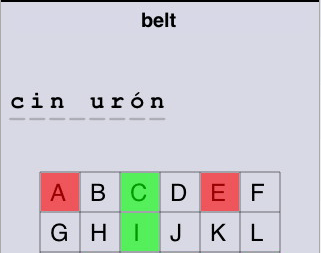
Spanish 101: it’s a cool training program to learn Spanish with. You gain access to a phrase book with native language audio and flashcards to help you pick up the language faster.

AccelaStudy Spanish | English: a great app to start learning new vocabulary and the right pronunciation for each word. The interface is user friendly too. Lets you study over 2400 Spanish words, which should be a good start in your journey towards mastering the language.
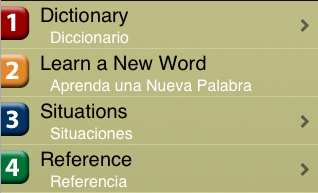
Spanish Anywhere: a cool little app that teaches you how to read, pronounce, and speak the Spanish language on the go. It’s a perfect tool for travels (especially with Situations feature).
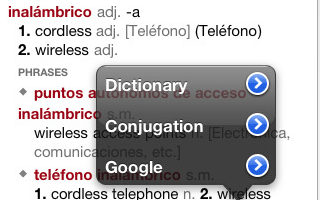
Spanish-English Translation Dictionary: great tool for college students and those who are constantly traveling to Spanish speaking countries. It has thousands of phrases, slangs, and words that could come in handy abroad.
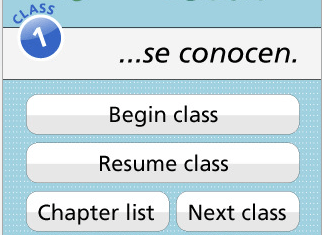
Spanish Class: a comprehensive Spanish course that walks you through 5 weeks of fun training sessions and prepares you for all situations abroad.
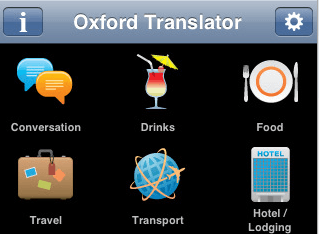
Oxford Translator Spanish Pro: made specifically for travelers. It comes with real voice translation, a user friendly interface, and over 110,000 phrase combinations.
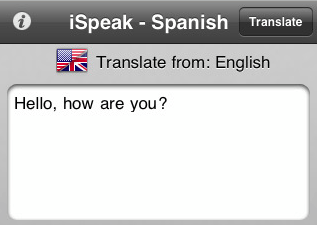
iSpeak Spanish: lets you easily translate sentences that you copy from your documents and your emails from English to Spanish. The text to speech engine is fun too.

Spanish!: it’s a Spanish flash-card training system on steroids. It not only helps you master more phrases, it teaches you how each word is pronounced as well.
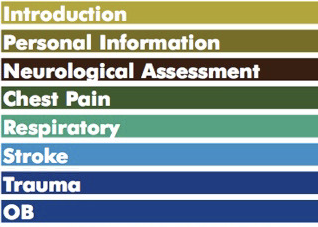
Audio Medical Spanish: this app is designed for health care professionals who are planning to travel to a Spanish speaking country. It’s a life saver if you are not familiar with the language.

Kid’s Spanish: designed for kids, teaches them about animals, sports, colors, shapes, and much more and keeps things fun in the process.
Your turn: what’s your favorite Spanish training app for iPhone?





I tried a few of these and I think that Spanish 101 is probably the best of the bunch but its not that great. Its good that that most you can try for free first and to see if you like them. I found out there is a new app coming out soon to learn Spanish tho called ‘Maria’s Spanish Class’ which looks really good from the website. Have a look at http://www.pigobo.com.
I have the Maria's Spanish app and it is first class the best one I have tried
My favorite app for learning Spanish is the Free Spanish Tutor. Now, for my kids, it’s a different story. They LOVE “Match and Learn”. The developer is “Bacciz” & they have the cutest kids apps that encourage them to learn Spanish! Love it
I just got the free version of “Maria’s Spanish Class’ and it is really excellent. I’m going to get the full version once I’ve finished the free topic.
We have recently released a new App to study Spanish(NounStar) it also includes the ability to study English, Portuguese and French. It is more for building a bigger vocabulary then for phrases. It uses images and audio to help you learn the words and has 3 different modes to study(Image Flash Cards, Image Quiz, Text Quiz).
Soon we will be releasing independent versions for each language.
Check it out.
Website:
http://nounstar.com/
iTunes Download:
http://itunes.apple.com/ca/app/nounstar/id343448176?mt=8
An excellent app for Spanish vocab building is Language Master- http://www.languagemastersuite.com/
Created by Hooray, http://www.hooraysociety.com you can also learn French, Italian, Spanish, Greek, Russian, Mandarin, Malay, Polish, Thai, Japanese, Welsh and English.
More info here- http://www.prnewswire.com/news-releases/hooray-la…
Try Memorize Words for Spanish. It uses a spaced repetition algorithm so you actually retain the words. Also it has four games included so you can learn while having fun! Check it out at http://itunes.apple.com/us/app/memorize-words-for…
Try iStart Spanish! if you want a tutor to explain the basics of the language in details. The lite version is free.
http://itunes.apple.com/WebObjects/MZStore.woa/wa…
MindSnacks Spanish is a really unique and fun approach to learning the language. Definitely worth a look!
http://itunes.apple.com/us/app/mindsnacks-spanish…
I like using the App Babbel Spanish,
http://itunes.apple.com/de/app/babbel-spanisch/id…
To learn verbs, try VerbGeek: Spanish http://www.verbgeek.com
MindSnacks Spanish is a great app for 15 minute sessions! The games allows players to level up by understanding vocabulary words so it is educational and quite fun.
This is an application that “visualizes” your language learning progress.
Build a list of study items in LangFolio by including vocabulary lists, grammar books, pronunciation practices, online conversations, and anything else you may be working on.
It's helpful! http://blog.davinciware.com/p/langfolio_25.html http://itunes.apple.com/en/app/langfolio/id454023…
Try this one! It uses native speakers and builds from single words to complex sentences
reverselobotomy.com
http://itunes.apple.com/us/app/reverse-lobotomy-p…
Great roundup.
We included "Spanish Learner" (http://itunes.apple.com/app/spanish-learner/id502478776) in our iPads for our tourist customers but will try some of these ones.
Mindsnacks spanish app is hillaryous 🙂
Thanks for promoting Spanish learning on iPhones!
We just released a new version of Spanish English Dictionary + with improvements to dictionary layout, searchable phrasebook, enhancements to verb conjugator and more. http://www.ascendo-inc.com/spanish-english-dictio…
If you have any question, email us at info AT ascendo-inc.ocm
Best,
Marc
Ascendo
The "Got Europe ?" app let's you learn Spanish by listening and learning in a few taps with a convenient interface for easy access during travel. Check out http://www.rollingtrain.com/europe/learn-spanish.
Thanks Pete
Great app indeed. I got Seven top languages at the price of One 🙂