• Hot Stories
    • Top Apps
    • Accessories
    • Wearables
  • iOS Apps
  • Robots & Drones
    • Smart Robots
    • Drones
  • Home Automation
  • Support
    • Partners

iPhoneNess

Covering everything iPhone

    • Trending

      All time

    • 20 Best Calendar Apps for iPhone + Videos

      191 Comments

    • 10+ Best iPhone GPS Apps for Car Drivers

      77 Comments

    • Latest Stories

      What is new?

    • accrosoo F94 iPad Keyboard Case with 4-in-1 Hub

      December 4, 2025

    • LIFEHACKR Smart Water Bottle with MagSafe Mount

      December 4, 2025

    • Comments

      Most Recent

    • Cyrus on:

      Chargerito: Smallest Phone Charger?

    • chargerito on:

      Chargerito: Smallest Phone Charger?

  • Trends
    • 25+ iPhone Compatible Fitness Equipment
    • 30+ Flexible iPhone Mounts & Stands
    • 12 Stylish iPhone Purses & Bags
    • 15+ Awesome Solar Chargers for iPhone
    • 45+ Amazon Alexa-Enabled Smart Home Devices for iOS Users
    • 15 iPhone Garage Door Openers You Should See
    • 35+ Must See Augmented Reality Toys & Gadgets
    • 25+ Star Wars Gadgets & Gizmos for iPhone & iPad Fans
    • 40+ Awesome iPhone Compatible Robots for Kids
    • 15 iPhone Mounts & Accessories for GoPro Users
  • News
    • Guides
    • Cool Items
    • iPhone 5S
    • iWatch
    • iPad 5
    • iPad Mini
    • Kickstarter
  • iOS Apps
    • iPhone Apps
    • iPad Apps
    • Jailbreak
  • Tools
    • Alarm Clocks
    • Board Games
    • Calendars
    • Fitness Apps
    • GPS & Navigation
      • Outdoors
    • iOS Astronomy
  • Accessories
    • iPhone Add-ons
    • iPad Add-ons
  • Disclaimer
  • Contact

Linxura Smart Controller Tested: Alexa Compatible E-Paper Home Controller

0
  • by Ci
  • in Reviews
  • — 25 Dec

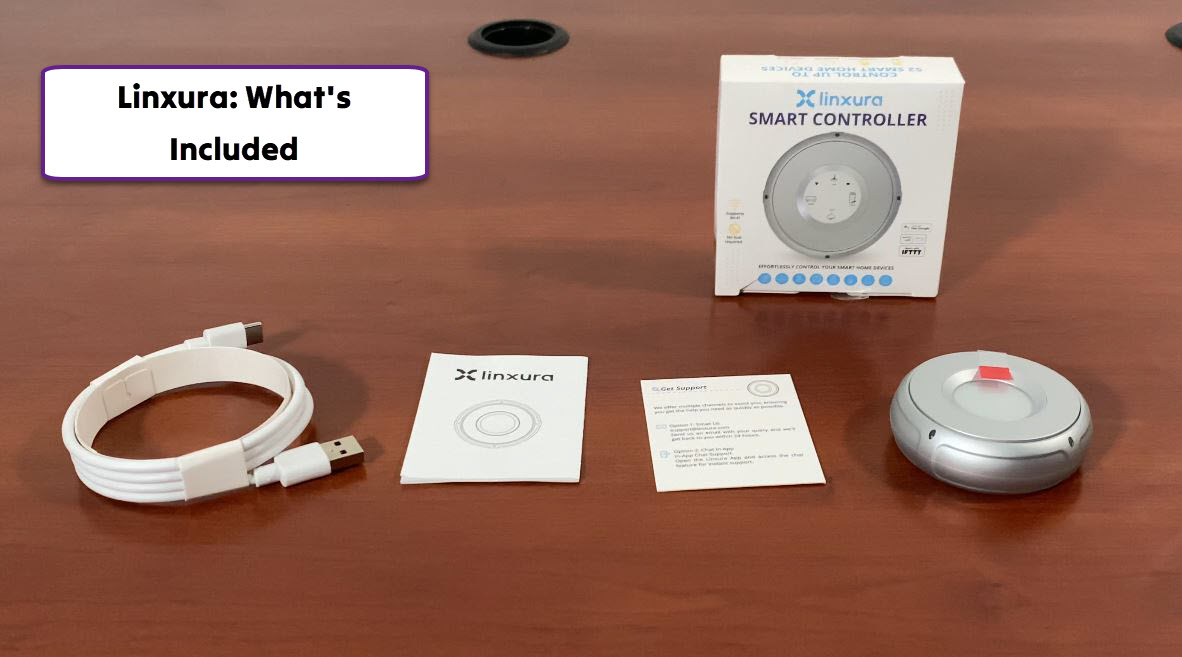
In the past few years, we have seen a whole host of Alexa compatible devices released to the market. Plenty of people now use voice controlled heaters, TVs, plugs, thermostats, and other devices at home. While controlling IoT devices by voice is easy, once in a while it may be more convenient to have a remote for them. The Linxura Smart Controller is not just any remote. It is an e-paper smart controller with support for up to 52 devices. The good folks behind it were kind enough to send us a unit to review. Let’s see what’s included:
Check out these uniquely awesome ✔️ iPhone gadgets & gizmos

Our kit came with a small controller and charging cable. There is also a tiny manual included in the box. The device is compact enough to fit in the palm of your hand. It has an e-paper display, so you can expect the battery to last for months (up to 3 months). The display is backlit, so you can use your Linxura controller in a dark room.
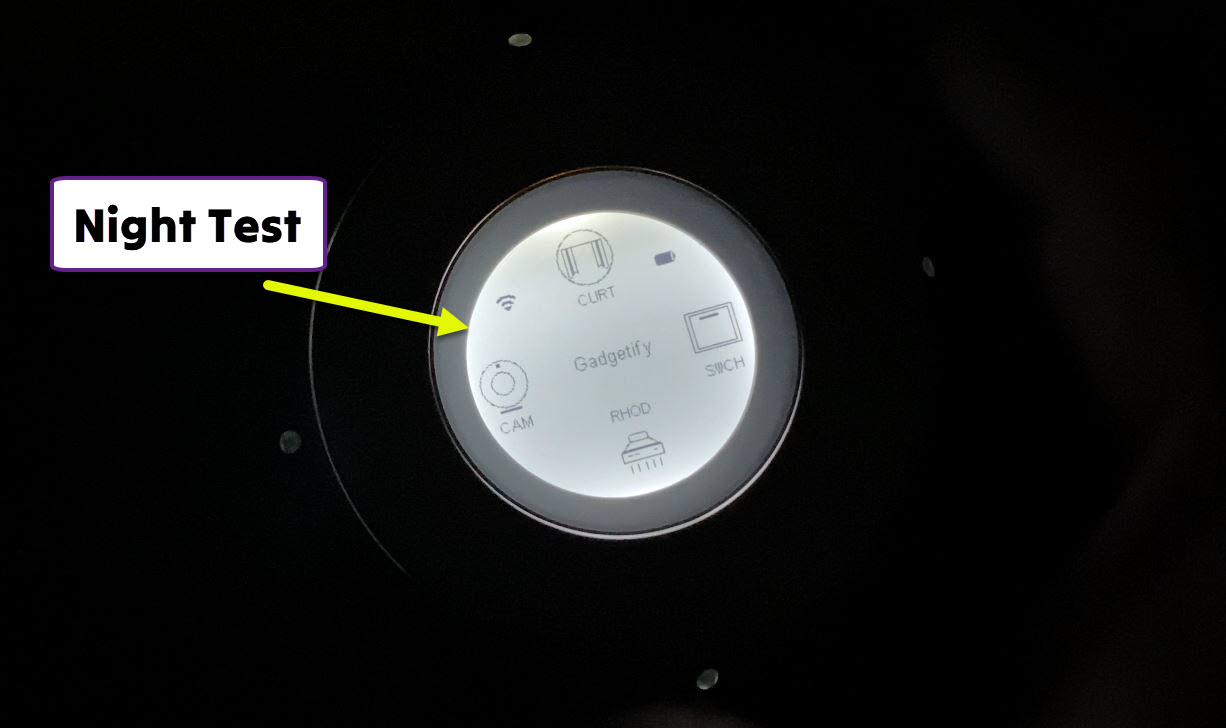
We found this controller to be pretty easy to set up. Once you have downloaded the app and linked your account, you are ready to set up your buttons. For each button, you can choose the method of control (e.g Alexa) and actions (e.g. single click and double click). You can add up to 52 devices and rotate this gadget to access them all.
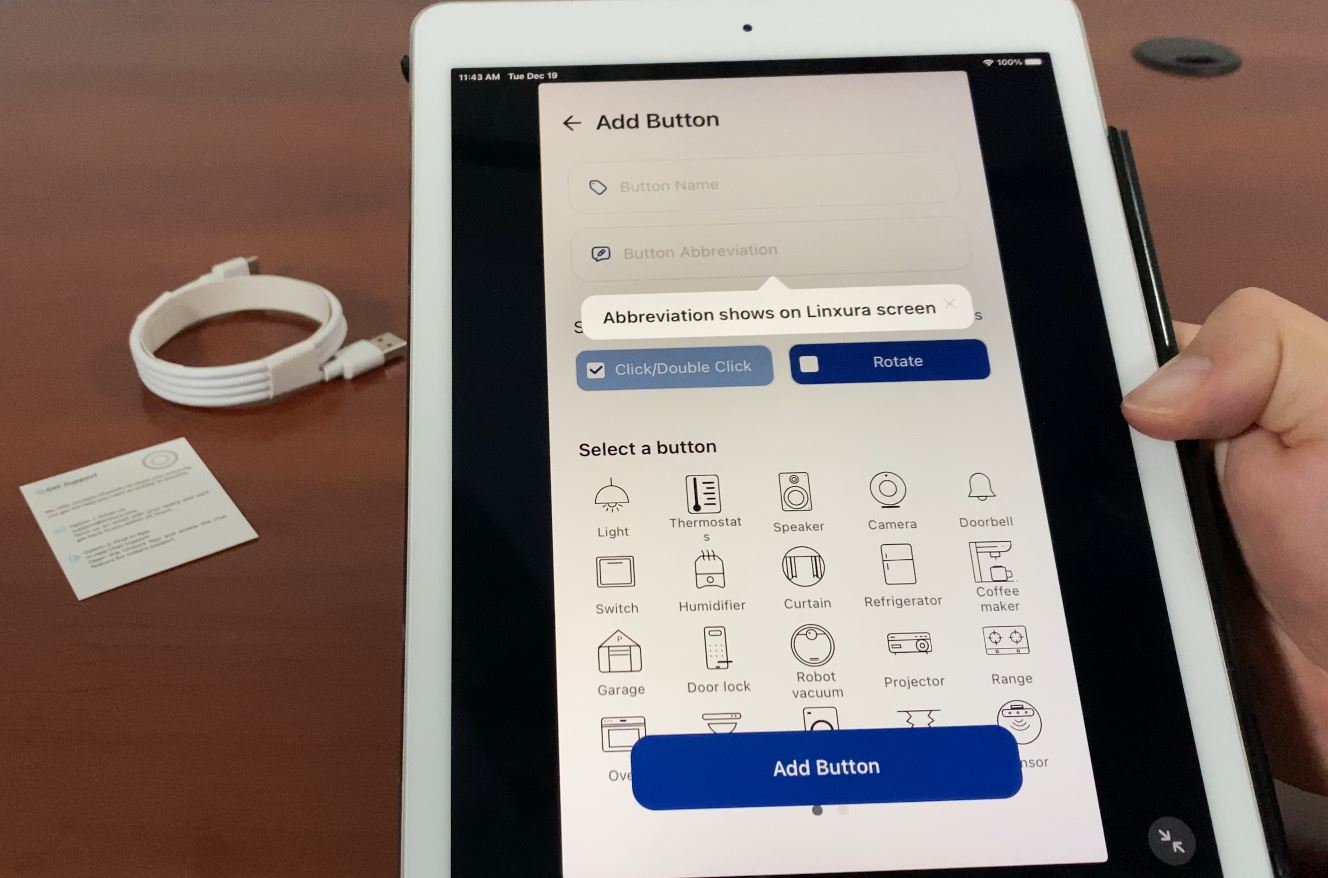
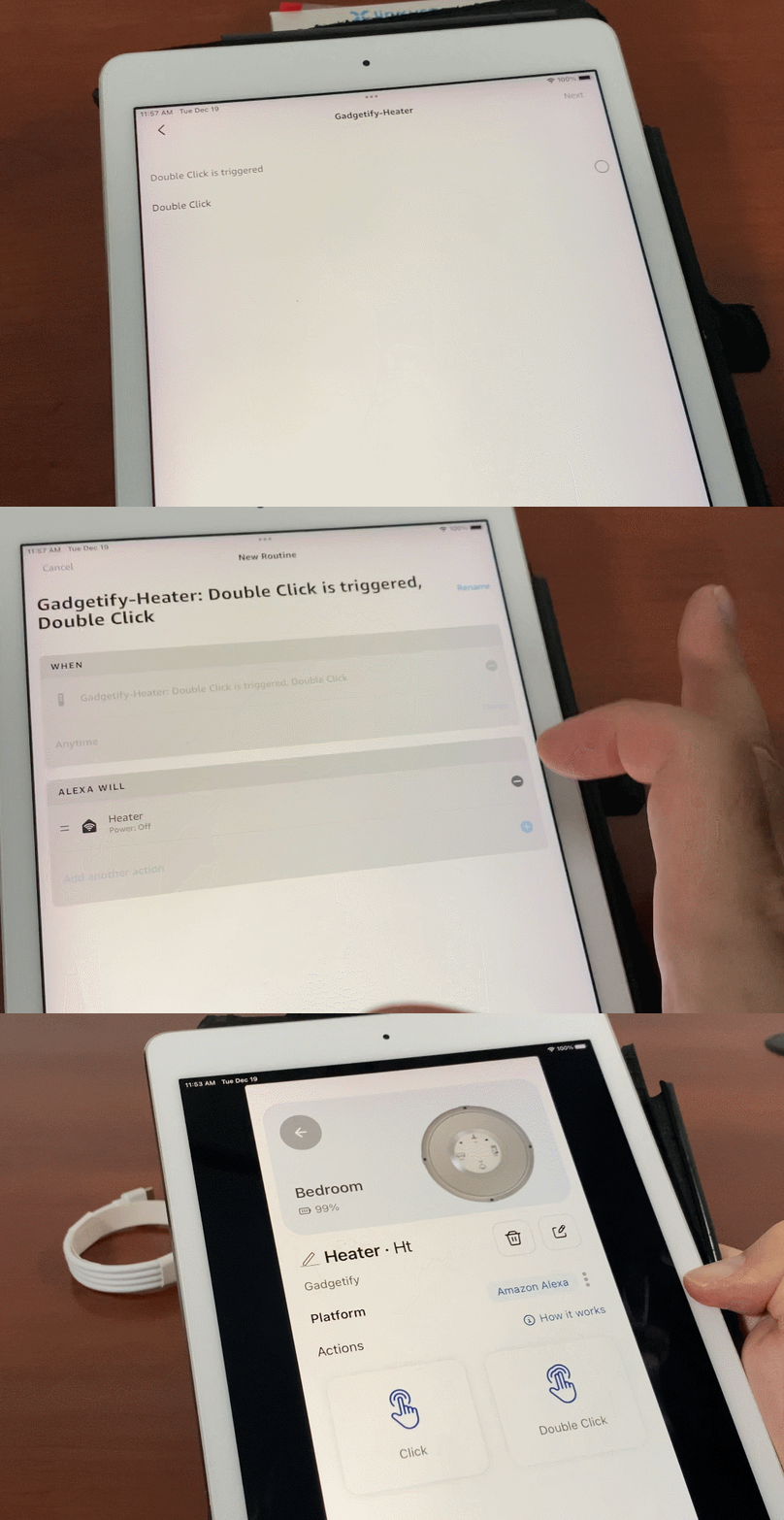
For our test, we added a smart plug, heater, and robot. We simply let Alexa know what each action should do (e.g. one click to turn on, double click to turn off). The rotating mechanism comes in handy when you want to control a dimmable light or speaker system. The companion app is also pretty easy to use. It lets you set up the button and scenes in a flash. You can select an icon for each device and change its name.
Check out these uniquely awesome ✔️ iPhone gadgets & gizmos

The Linxura smart controller supports a variety of devices, including robots, lights, heaters, fans, kitchen appliances, thermostats, and smart plugs. It works with Alexa right out of the box but more platforms are expected to be supported in the future. You will want to check each device to see what actions can be added. For instance, our fairly cheap robot only has start and pause functions supported by Alexa whereas higher end models may allow return to home and other actions.
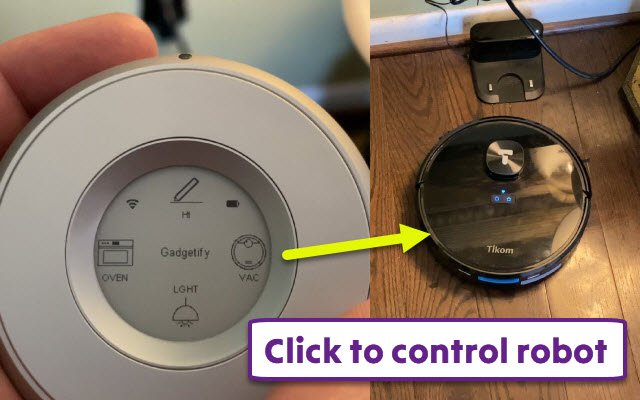
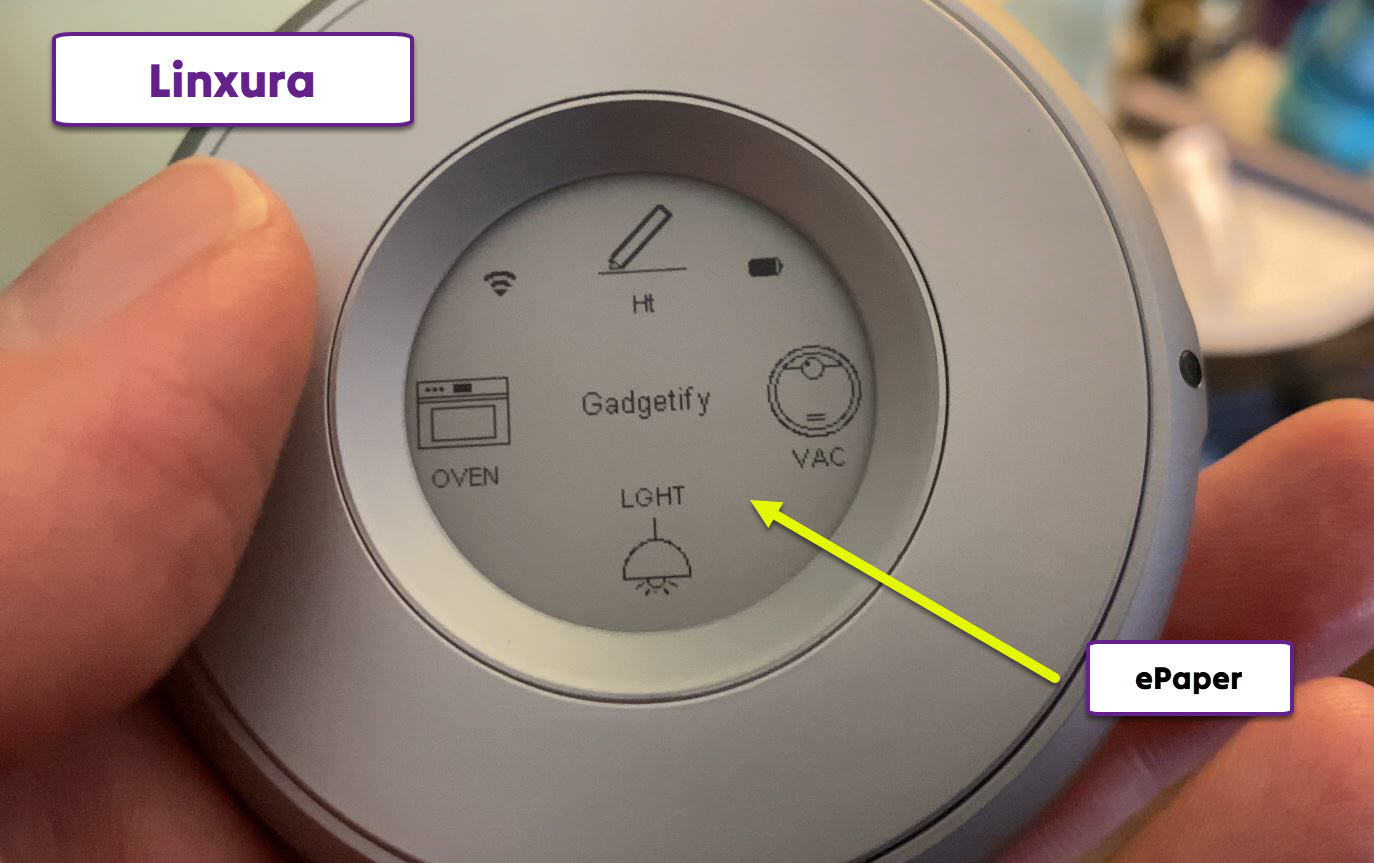
The display shows WiFi connection, battery level, and your devices. Simply use the clickwheel mechanism to access all your devices. As soon as you add a device within the app, it shows up on your Linxura device in a second or two. You can use the app to customize scenes / rooms and share control of your devices with others.

https://www.iphoneness.com/wp-content/uploads/2023/12/21/linxura-test.mp4

This gadget has a beep function that you can activate when you have misplaced it. It is not super loud but more than enough for you to find a misplaced smart button. The app gives you access to the controller’s serial number and firmware updates. You can also set up button and time-based conditions for your scenes.

https://www.iphoneness.com/wp-content/uploads/2023/12/21/linxura-beep.mp4

Overall, we found the Linxura smart controller very easy to use. It is a tiny gadget we didn’t even know we needed. It comes very handy in situations where talking to Alexa is not possible. The device is easy to set up and customize. As long as you know your way around the Alexa app, you can set up click actions quickly.

We experienced no connection issues using this controller as we tested it on our heater, robot and TV. It worked like a charm every time. We just wish the e-paper display was a bit larger. Here is the best part: even if you don’t have fancy Alexa compatible devices, you can invest in affordable smart plugs to make any device in your home compatible with Linxura.

[where to get it] [download the app]
**Disclaimer: Our articles may contain aff links. As an Amazon Associate we earn from qualifying purchases. Please read our disclaimer on how we fund this site.


Currently trending posts:

  • Linxura Aura App Smart Home Button with HomeKit Support
  • Elgato Eve Button with HomeKit
  • Leviton’s Decora Smart WiFi Fan Controller with Alexa Support
  • Freesby Wearable Smart Home Gesture Controller
  • Logitech Pop Home Switch: Smart Button for Your Home
  • 5 Alexa Enabled Shower Speakers & Controllers

You may want to see:

  • ROBOQI 2.0: Smart Wireless Charger Car Mount with Alexa
  • Sensibo AirQ App Smart Air Conditioner Controller with Air Quality Sensor
  • Garage-Control Cam Plus: App Controlled Garage Controller with 130-Degree Camera
  • COSORI VeSync Aeroblaze Indoor Grill with Alexa/Google Assistant Support

Tags: alexacontroller


Add your reaction

Leave a Reply Cancel reply

Your email address will not be published. Required fields are marked *

  • Follow Us

    Facebooktwitterrssyoutube

  • Search & Subscribe

  • Trending Apps

    • 5 iPhone Workout Apps for Seniors & Older Adults
    • 6 Must See Special Characters iPhone Apps
    • 7 Best iPhone Planner Apps
    • 6 Must See iPhone Typing Trainers
    • Track Baby Feeding Time with These 5 iPhone Apps
    • Use Your iOS Device As a Webcam: 6 Apps
  • Current Visits:

    • 5 Apple Watch Compatible Door Locks
    • 4 Smart Wind Meters for Smartphones
    • 5 iPhone Compatible Baby Movement Trackers
  • Categories

    Admin AI Tools & Apps Apple Vision Pro Apps Apple Watch Accessories Commentary & Predictions Cool Finds DIY & Hacks Drones Events Giveaways Guest Posts Guides & Tools Home Automation Infographics iOS Security iPad accessories iPad Apps iPhone Accessories iPhone Apps iPhone Books iPhone Programming iPhone Thoughts iPhone Tips iPhotography Jailbreak Leaks Lists Mac Accessories News Reviews Smart Robots Uncategorized Videos Virtual Reality Wearables
  • Home
  • Reviews
  • Linxura Smart Controller Tested: Alexa Compatible E-Paper Home Controller
  • Tags

    3d printer 4k ai alexa Android app app enabled Apple apple watch app lists augmented reality bluetooth camera case Charger coding drone fitness GPS home automation iOS iPad iPhone iphone 5 keyboard modular mower power bank python rig robot robotic security camera smart Smartphone smartwatch Solar speaker stand stem top accessories vision pro wearable wifi wireless charger
  • Current visits

    • Hiwonder JetHexa App Controlled ROS Hexapod Powered by Jetson Nano
    • 5 Smart CO Sensors for Your Connected Home
    • RYSE SmartShade: App Control for Your Window Shades
    • Merge VR: Virtual Reality Headset for iOS / Android
    • OnlyCat Smartphone Connected Cat Door with Prey Detection
  • Search

  • Connect:

  •  

  • News
  • Partnerships
  • Our Reviews
  • Terms of Use
  • Privacy Policy
  • Takedown Requests
  • Support Us
  • RSS

© Copyright 2024 iPhoneness. EntropyGrid
iPhoneness is an independent website and has not been authorized, sponsored, or otherwise approved by Apple Inc. iPhone and iPhone 3G are among the trademarks or registered trademarks owned by or exclusively licensed to Apple Inc.