Aug
10

15 Best Note Applications for iPhone

24 comments

iPhone is one killer note taking device if you use the right apps on it. Whether you have trouble remembering those important tasks or just want to take note of your ideas as they come to you, your iPhone is your best friend. Instead of wasting paper and taking an extra item with you on the go, you can just use your iPhone to take notes and store them for future references.

There are plenty of note applications around. You can take text, video, audio, and picture notes on your iPhone. I personally prefer text and audio to other methods, but the other methods may work for your situation. If you are looking to take and organize your notes on your phone, these 15 note iPhone applications you should try:
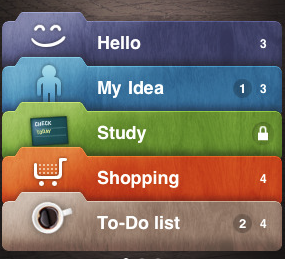
Awesome Notes: not only a very useful note taking app for iPhone, but it’s capable of helping you manage your to-do lists as well. It’s very well designed interface will keep you organized.
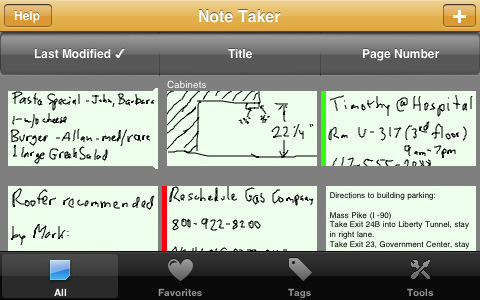
Note Taker: want to take your notes in your own handwriting? Note Taker gives you that option. You can organize your pages easily too.
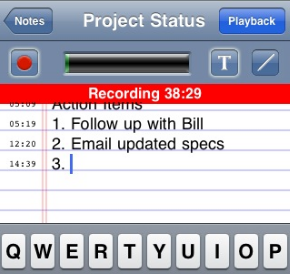
AudioNote: a powerful application that lets you take notes in text and audio and then link them up together. Similar to what those Livescribe Pen devices do.
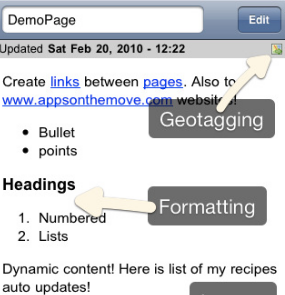
Trunk Notes: more than just a note taking app, Trunk Notes is like having your own Wiki. Make it so easy to take notes, link them together, organize them all, and back them all up.

iFlipr Flashcards: a very useful note-taking (flash-card) application for iPhone that makes it easy to remember and master new topics using your phone.
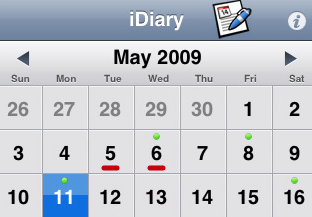
iDiary: one of the best note taking applications to keep your ideas, plans, trips, and everything in between organized and stored for future references. Makes it easy to mark more important tasks and lets you export your files as well.
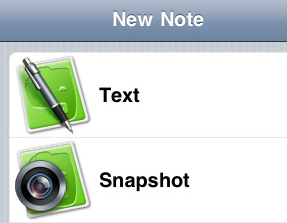
Evernote: Evernote needs no introduction. It’s a great software suite that lets you create text, photo, and audio notes on your phone. You can also synchronize your notes with Mac, PC, and Web.

Notemaster: an innovative notepad application for iPhone that lets you combine text, images, and headers to take note more effectively on your phone.
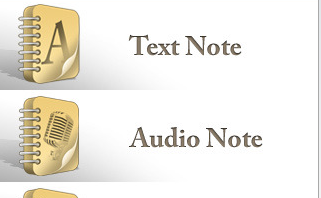
Take a Note: write, speak, and draw your notes on your phone. It also helps you categorize notes and share them with others as well. And who can forget about the search feature. Overall, a solid app all around.
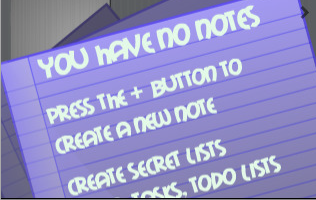
Safe Note: not only helps you create your notes easily on the go, but lets you password protect them as well. So if your iPhone is lost, your private information won’t be exposed.

Notespark: access all your notes on your iPhone or iPod Touch through notespark.com. You can sync your new notes with notespark.com as well. Tag them, star them, and share as you prefer. You get a life-time subscription with notespark.com.

4Notes: take notes, search through them in real time, and organize them by using the star system available in this app. It’s simple and gets the job done.
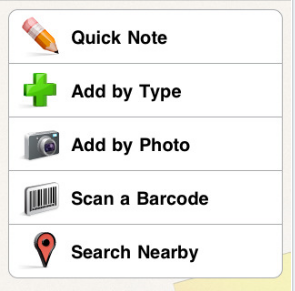
Springpad: a very handy free application that can save your ideas, information, photos, and everything in between. Pretty complete app all around.

All In One Notes: capable of handling all your text, photo, and audio notes. Your notes can be locked down just in case you are worried about their security.
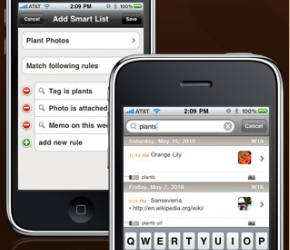
Momo notes: your personal memo application that can handle images and all your notes. It is secure and can be synced with on the web too.

What’s your favorite note taking app on iPhone?


People who visited this article also visited:

Currently trending posts:


*aff links used in some articles to fund our operations (disclosure page).

24 comments
  1. i love simpleNote, which syncs up with notational velocity on my mac. It’s very basic since it only does text…so for everything else, I prefer evernote

    salvador says...
    February 5th, 2010 at 11:21 pm
  2. What a pathetic compilation by you. None of the apps are free. You should have included few free applications too.

    Raj says...
    June 28th, 2010 at 2:02 pm
  3. You are right. Unfortunately, this piece was meant to be about premium apps. Maybe the title needs to be updated. At the same time, maybe you could suggest you favorite free note application. We have free apps in our other lists (e.g. the one about Augmented reality apps, cydia apps, …).

    exxponentllc says...
    June 29th, 2010 at 12:37 am
  4. Evernote is free isn't it?

    NAAMAN says...
    June 29th, 2010 at 11:33 am
  5. All the free ones I've seen are pretty terrible, with the exception of the free, extremely limited versions of these paid ones. Why should they be included? Remember, the title is "10 Best Note Applications," not "7 Best Note Applications and 3 Bad Free Ones." This is a good list.

    really? says...
    August 8th, 2010 at 10:56 pm
  6. You are right. The trouble is, when we don't include free apps, we get hate mail. Having said that, we are updating the list, so stay tuned :)

    Cyrus says...
    August 9th, 2010 at 4:54 am
  7. title says "15" yet the text says "these 10 note iPhone applications you should try"???

    August 18th, 2010 at 11:02 pm
  8. thanks for catching that. We just updated the piece and added 7 apps and removed 2. :) Forgot to go from 10 to 15

    Cyrus says...
    August 19th, 2010 at 3:50 am
  9. Younote light is a fantastic free note app. Has audio, photo, text, web etc. It’s one of te original apps that I got for my 3g two years ago and it’s still on my phone.

    Simon says...
    September 6th, 2010 at 12:30 am
  10. Take a look at Chapters. It is beautiful, well organized and has a true Mac aesthetic. Also it can back up to Google docs. Simplenote in its new vesion with tags is also superb, especially because of its seamless cloudsync with Notational Velocity on the Mac and Resoph Notes on the PC.

    Teferet says...
    October 9th, 2010 at 6:06 am
  11. I’ve used several note apps but I always go back with Awesome Note.

    Kathy says...
    January 9th, 2011 at 1:12 am
  12. I'm looking for a notes app that can be used to sync notes between my iPhone and my wife's. Often we want to share grocery lists and other to-dos and we want to be able to do that through an will automatically sync everything. Any ideas?

    Mavs says...
    January 24th, 2011 at 10:59 am
  13. simple note and evernote suck. why would anybody want to use "the cloud" to take notes? take a note is almost perfect, but it's ugly and the voice recorder fails sometimes.

    asdf says...
    February 4th, 2011 at 8:45 am
  14. Hey check out m2d2apps.com… they have an application called "notes + u". It's pretty good. Have a built in recorder as well.

    Dineth says...
    February 9th, 2011 at 1:15 am
  15. Check out the new app "Piece of Paper".. Easy to use, have password protection option and share the notes via e-mail or sms..
    http://itunes.apple.com/us/app/piece-of-paper/id4

    appmania says...
    February 10th, 2011 at 11:48 am
  16. If you are a Gmail user, you cannot beat NoteMaster. Cough up the $4 and download it right now. It has a similar look and feel to the Iphone’s stock Notes app, but that can be customized. You can add bullet points to the notes, numbers, check boxes, even images and pictures. But for Gmail/Google users, it is even better since it will wirelessly sync your notes to Google Docs, either true two-way or one-way, whichever you want. No need to sync your notes to your Mac anymore. Beautiful. I’ve been using for several months now and couldn’t be happier.

    Mike T. says...
    February 12th, 2011 at 5:36 pm
  17. Love this app. Thanks for the review.

    Carol says...
    February 20th, 2011 at 12:06 am
  18. Mavs, go for OurGroceries. If you have OurGroceries on both iphones (or iphone/android for that matter), bind them to the same master account, and you get instant syncing of grocery lists. It's fan-friggin-tastic (use it a lot myself ;) ).

    @jsaaby says...
    March 31st, 2011 at 5:09 am
  19. I am looking for a simple note pad app for my iPhone 4 that allows bullet points, bold fonts, larger fonts and preferably tags for categories. Must sync easily with desktop PC. Anyone help please?

    Raphael Kahn says...
    June 18th, 2011 at 7:43 pm
  20. My husband and I just GroceryIQ for our sync'd grocery list and we use Wunderlist for our sync'd to-do list. We love those–not sure how much they are.

    Kory says...
    November 30th, 2011 at 8:26 am
  21. Good list! Of all the recommendations you have in here and I am very fond of Evernote because of its functionality and efficiency. Been using it for quite some time now along with an app called Snap-A-Note, which is a free app that allows you to take pictures and send them right in your inbox for future reference. Both of them helped me a lot in organizing my tasks. Thanks for posting this. Will certainly take a look at the other apps listed in here.

    THunt says...
    December 21st, 2011 at 1:33 am
  22. We just released version 1.2 of iPhotoNote – will be worth a look if you'd like an easy way to use photos as notes. It features sending your photo notes as PDF files per email, setting them as visual reminders in your calendar (with link back to iPhotoNote so you can actually access the photo easily from within the calendar), advanced categorization and filtering functions and much more.

    January 9th, 2012 at 10:29 am
  23. yes I agree iphone is a very good note taking device. I am using this for my study. Evernote is far better then others and I am using this in my daily life. But now I will try another ones too. Thanks for this informative post.

    April 25th, 2012 at 12:14 pm
  24. If you need a simple lightweight with tag or category support, consider Cavol note, https://itunes.apple.com/us/app/cavol-note/id6482…. It is designed in the way that keep minimum and must features for note taking.

    Shuo says...
    May 19th, 2013 at 8:02 am
Add a comment