• Hot Stories
    • Top Apps
    • Accessories
    • Wearables
  • iOS Apps
  • Robots & Drones
    • Smart Robots
    • Drones
  • Home Automation
  • Support
    • Partners

iPhoneNess

Covering everything iPhone

    • Trending

      All time

    • 20 Best Calendar Apps for iPhone + Videos

      191 Comments

    • 10+ Best iPhone GPS Apps for Car Drivers

      77 Comments

    • Latest Stories

      What is new?

    • accrosoo F94 iPad Keyboard Case with 4-in-1 Hub

      December 4, 2025

    • LIFEHACKR Smart Water Bottle with MagSafe Mount

      December 4, 2025

    • Comments

      Most Recent

    • Cyrus on:

      Chargerito: Smallest Phone Charger?

    • chargerito on:

      Chargerito: Smallest Phone Charger?

  • Trends
    • 25+ iPhone Compatible Fitness Equipment
    • 30+ Flexible iPhone Mounts & Stands
    • 12 Stylish iPhone Purses & Bags
    • 15+ Awesome Solar Chargers for iPhone
    • 45+ Amazon Alexa-Enabled Smart Home Devices for iOS Users
    • 15 iPhone Garage Door Openers You Should See
    • 35+ Must See Augmented Reality Toys & Gadgets
    • 25+ Star Wars Gadgets & Gizmos for iPhone & iPad Fans
    • 40+ Awesome iPhone Compatible Robots for Kids
    • 15 iPhone Mounts & Accessories for GoPro Users
  • News
    • Guides
    • Cool Items
    • iPhone 5S
    • iWatch
    • iPad 5
    • iPad Mini
    • Kickstarter
  • iOS Apps
    • iPhone Apps
    • iPad Apps
    • Jailbreak
  • Tools
    • Alarm Clocks
    • Board Games
    • Calendars
    • Fitness Apps
    • GPS & Navigation
      • Outdoors
    • iOS Astronomy
  • Accessories
    • iPhone Add-ons
    • iPad Add-ons
  • Disclaimer
  • Contact

Take Cat Photos With an iPhone: 4 Cat Camera Apps

0
  • by Ci
  • in iPhone Apps
  • — 9 Nov

catcam

Cats are all around us. You can find them on the Internet, outside your home, in the magazines, and everywhere else. Some of us are lucky enough to have one or more cats in our home. They are truly fun animals to adopt and take care of. Taking cat pictures with an iPhone is not always easy. Don’t get me wrong. The iPhone is a very capable device. But don’t expect your cat to pose for the camera. These 4 cat camera apps for iPhone make it easier to capture photos of your pet:

Also check out:
  • i-Alert2 Industrial Equipment Monitor with Bluetooth

MEOW SNAP Review: iPad & iPhone App for Cat Self-Portraits

Meow Snap: lets your cat take self-portraits by chasing a laser pointer on your screen. You can also use it as a remote to control the dot on another device.

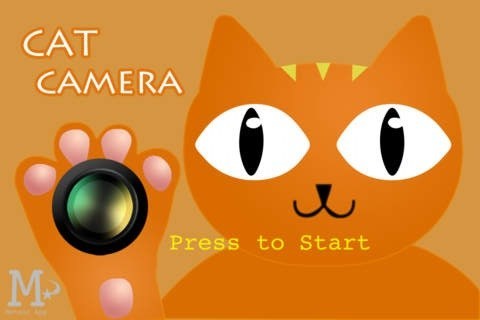
Cat Camera: this cat camera for iPhone has 6 different sounds you can choose to get the attention of your pet. It works on iPod Touch devices too.
pet snap

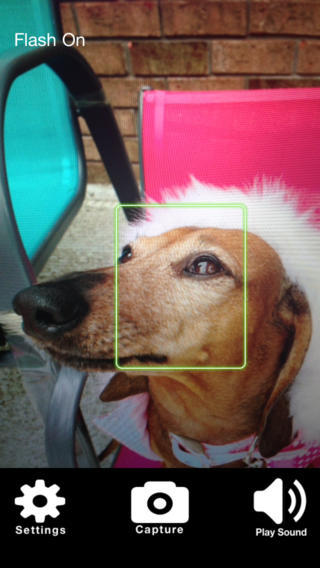
Pet Snap!: very simple to use. Just open the app, press the sound button to grab the attention of your pet, and you are set.
pose a pet

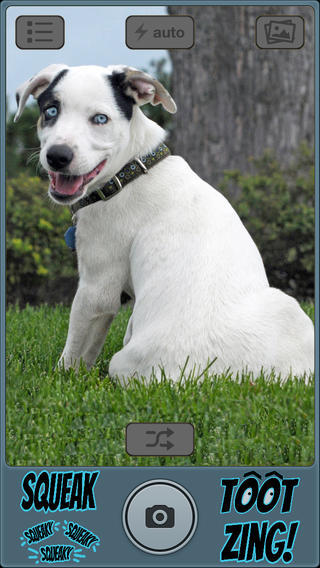
Pose A Pet: uses photographer-tested noises to capture the attention of your pet. You can use it to create flyers and do all kinds of neat things. You get 20 sounds to choose from.

Trending iPhone, iPad apps:
  • 5 Must See Mockup Apps for iPad

These apps make cat photography with an iPhone much easier. Have you found better cat cam apps? Please share them here.
**Disclaimer: Our articles may contain aff links. As an Amazon Associate we earn from qualifying purchases. Please read our disclaimer on how we fund this site.


Currently trending posts:

  • MEOW SNAP iPhone App for Cat Photography
  • iOS #Guide for Pet Owners: Tools & Apps for Dog & Cat Lovers
  • Know Your Cat: 3 Cat Guides for iPhone
  • 5 Camera Lens Apps for iPhone & iPad
  • ZeroMOUSE App Connected AI Cat Flap Upgrade with Prey Detection
  • 6 iPhone Apps To Help You Adopt a Dog

You may want to see:

  • 10 Must See iPhone Apps for Ramadan 10 Must See iPhone Apps for Ramadan
  • Find a Parking Spot Using an iPhone: 5 Apps Find a Parking Spot Using an iPhone: 5 Apps
  • 5 Best AdSense Apps for iPhone & iPad
  • 10 Best iPhone Apps for Search Engine Marketers 10 Best iPhone Apps for Search Engine Marketers

Tags: app listscatpets


Add your reaction

Leave a Reply Cancel reply

Your email address will not be published. Required fields are marked *

  • Follow Us

    Facebooktwitterrssyoutube

  • Search & Subscribe

  • Trending Apps

    • 5 iOS Apps That Help You Focus Better
    • How to Blur Faces & Objects In Videos: 5 Video Blur iPhone Apps
    • 7 Quality Birthday Calendars for iPhone
    • 4 Quality SFTP Apps for iPhone
    • 6 Awesome iPhone Memory Games for Brain Training
    • 6 Lifesaving Diabetes Apps for iPhone & iPad
  • Current Visits:

    • 8 Battery Extenders & Power Banks for Apple Watch
    • 7 Must See Magnetic iPhone & iPad Mounts
    • 6 Large 20+ Port USB Charging Stations for Your Smartphones & Tablets
  • Categories

    Admin AI Tools & Apps Apple Vision Pro Apps Apple Watch Accessories Commentary & Predictions Cool Finds DIY & Hacks Drones Events Giveaways Guest Posts Guides & Tools Home Automation Infographics iOS Security iPad accessories iPad Apps iPhone Accessories iPhone Apps iPhone Books iPhone Programming iPhone Thoughts iPhone Tips iPhotography Jailbreak Leaks Lists Mac Accessories News Reviews Smart Robots Uncategorized Videos Virtual Reality Wearables
  • Home
  • iPhone Apps
  • Take Cat Photos With an iPhone: 4 Cat Camera Apps
  • Tags

    3d printer 4k ai alexa Android app app enabled Apple apple watch app lists augmented reality bluetooth camera case Charger coding drone fitness GPS home automation iOS iPad iPhone iphone 5 keyboard modular mower power bank python rig robot robotic security camera smart Smartphone smartwatch Solar speaker stand stem top accessories vision pro wearable wifi wireless charger
  • Current visits

    • Beastgrip: Lens Adapter for iPhone
    • Nireeka Smart eBike with Blind Spot Radar, App
    • 2 iPhone Controlled Airplanes You Should See
    • Bose SoundLink Micro Waterproof Bluetooth Speaker with Microphone
    • InfinaCore MagicMagnet Makes Your Phone MagSafe Compatible
  • Search

  • Connect:

  •  

  • News
  • Partnerships
  • Our Reviews
  • Terms of Use
  • Privacy Policy
  • Takedown Requests
  • Support Us
  • RSS

© Copyright 2024 iPhoneness. EntropyGrid
iPhoneness is an independent website and has not been authorized, sponsored, or otherwise approved by Apple Inc. iPhone and iPhone 3G are among the trademarks or registered trademarks owned by or exclusively licensed to Apple Inc.